Imagine a diet that learns from your DNA and adapts as you do. Personalized nutrition based on genetic data is reshaping how we think about meals, supplements, and daily routines. It is not a magic switch that fixes every health goal, but a powerful tool that, when combined with lifestyle, lab markers, and personal preferences, can help you optimize energy, metabolism, and overall well being. At idna.works we are passionate about decoding your genes to support sustainable nutrition that fits your unique biology.
What is personalized nutrition and nutrigenomics
Personalized nutrition is the practice of tailoring dietary guidance to an individual’s genetic makeup, lifestyle, and environment. It sits at the intersection of nutrition science and genetics, a field often called nutrigenomics and nutrigenetics. In simple terms:
- Nutrigenetics focuses on how genetic variants influence responses to nutrients.
- Nutrigenomics studies how nutrients can affect gene expression and metabolic pathways.
Together they form a framework for understanding why two people with similar diets might experience different outcomes. The goal is to use genetic data to inform choices about macro and micronutrients, meal timing, and supplementation while recognizing that genes are one part of a much larger system.
How genetic data informs dietary choices
Genetic information can guide several practical decisions:
- Identify potential sensitivities or requirements for certain nutrients
- Predict patterns of fat storage, carbohydrate handling, and protein utilization
- Screen for variants that influence nutrient metabolism and needs
- Support decisions about supplementation and fortification
However, the evidence for individual gene effects varies. Many traits are polygenic, meaning they are influenced by many small effects across the genome. A robust personalized nutrition plan uses genetic data as one input among many, including clinical labs, body measurements, activity level, gut health, and medical history.
The science behind genotype based nutrition
Genotype based nutrition uses specific variants in our DNA to infer possible nutritional needs or responses. It is important to distinguish between strong evidence and emerging signals.
Key genetic variants that influence nutrient metabolism
- APOE variants and lipid metabolism: Different APOE alleles can influence how the body handles fats and cholesterol. For some people, fat composition and overall fat intake may be more impactful than for others. This can inform lipid friendly dietary patterns and monitoring.
- MTHFR and folate metabolism: Certain MTHFR variants can affect folate metabolism efficiency. This topic highlights the value of ensuring adequate folate intake and considering folate status in guidance for individuals with risk variants.
- BCMO1 and vitamin A conversion: Variants in BCMO1 can influence how efficiently beta carotene from plants is converted to active vitamin A. This can shape plant based dietary planning and the need for preformed vitamin A in the diet.
- FTO and energy balance: Some signals link FTO variants with appetite regulation and energy intake. Understanding this can support strategies around portion control and meal structure.
- TCF7L2 and glucose metabolism: Variants in this gene are associated with how the body responds to carbohydrates and insulin dynamics. This can influence carbohydrate quality and timing in meals.
- GC and vitamin D status: Variations in the GC gene can affect vitamin D binding and circulating levels, informing strategies for sun exposure, supplementation, and dietary sources.
- TMPRSS6 and iron metabolism: Certain variants can influence iron absorption and transport, guiding iron rich foods and supplementation when needed.
These variants represent focal points in genotype based nutrition, but most individuals will have multiple variants interacting to shape their response. The real power comes from polygenic scores and an integrated view rather than relying on a single gene.
Macronutrients and micronutrients targeted by genetic insights
- Carbohydrates: Genetic signals can shape how the body handles glucose and insulin response, guiding the balance of high fiber carbohydrates, timing of meals, and overall carbohydrate quality.
- Fats: Variants linked to lipid handling can influence saturated versus unsaturated fat choices, omega 3 intake, and overall fat distribution strategies.
- Proteins: Genetic insights can point to protein requirements and amino acid balance that align with muscle health and satiety.
- Vitamins and minerals: Genes involved in folate, vitamin D, iron, vitamin A, and other nutrient pathways can affect how much of these nutrients you may prioritize through diet or supplementation.
It is important to remember that gene based nutrition is not a fixed prescription. Diet decisions should adapt as new data become available and as your body changes over time.
How to use genetic data to personalize your diet
Implementing genotype based nutrition involves a practical, step by step approach.
Step by step guide to building a personalized nutrition plan
- Access and secure your genetic data: You can obtain data from sequencing or genotyping services. If you already have raw data, you can work with a qualified professional or a trusted platform to interpret the results responsibly.
- Assess the strength of the evidence: Not all genetic associations have the same level of evidence. Favor nutrient interactions with replicated research and clear clinical relevance.
- Combine with phenotypic data: Use current blood work, body composition, energy levels, sleep quality, and activity data. Genetics adds context but does not replace measurements.
- Create a plan with clear targets: Define macronutrient distribution, micronutrient goals, and timing that align with your goals such as energy, performance, heart health, or aging concerns.
- Implement gradually and monitor: Try a structured trial of dietary changes and track outcomes like energy, mood, weight, lipid markers, and glucose response where available.
- Reassess and adjust: Revisit your plan as you gather data and as new research emerges. Personal nutrition is a dynamic process.
- Seek professional guidance: A registered dietitian or nutrigenomics expert can help interpret results and tailor recommendations to your lifestyle and health needs.
Practical applications and meal planning ideas
- APOE carriers may benefit from a focus on heart healthy fats, plant based proteins, and regular lipid monitoring. This does not mean avoiding fats entirely but choosing quality fats and balancing meals.
- MTHFR related guidance often emphasizes adequate folate intake from natural sources and, in some cases, supplementation with methylfolate when clinically indicated. Always consult a clinician before starting new supplements.
- BCMO1 influenced styles may benefit from including vitamin A rich foods in forms that improve absorption, particularly for individuals who rely heavily on plant carotenoids for vitamin A.
- FTO related insights can support structured meal timing and portion control strategies to help with energy balance.
- TCF7L2 signals can guide carbohydrate quality choices such as emphasizing fiber rich, low glycemic index foods to support stable glucose handling.
- GC variants may encourage mindfulness about vitamin D sources, sun exposure, and supplementation if needed after discussing with a clinician.
- TMPRSS6 information may influence iron rich foods and, if necessary, iron status monitoring through standard lab tests.
Practical meal planning tips
- Build meals around whole foods with quality proteins, vegetables, and healthy fats.
- Choose complex carbohydrates with fiber and low glycemic impact.
- Use a simple color coded plate method to ensure micronutrient diversity.
- Include a regular pattern of meals to support metabolic consistency.
- Consider strategic supplementation only after lab assessment and professional guidance.
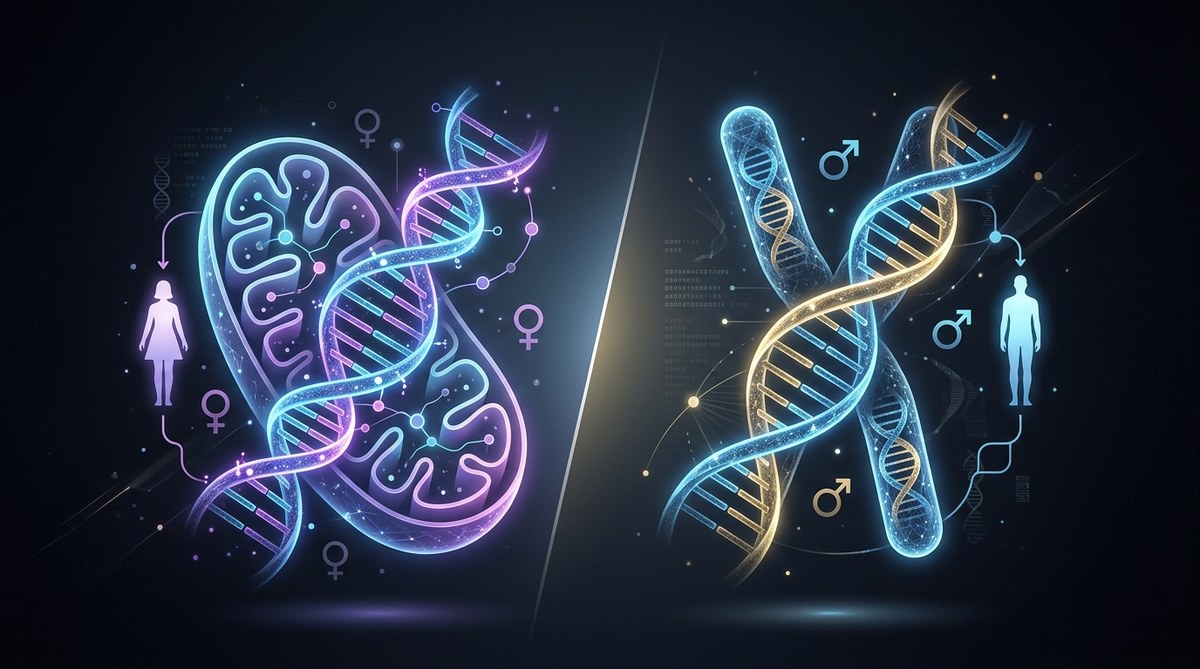
Ancestry tests and nutrition: mtDNA and Y DNA in context
Some genetic tests used for ancestry report maternal lineage via mtDNA and paternal lineage via Y DNA. While these markers are valuable for tracing ancestry, their direct relevance to current dietary needs is limited. Some consumer providers may claim ancestry based health insights, but the evidence linking mtDNA and Y DNA variants to modern nutrition is far from established. For practical nutrition planning, focus on well supported nutrient metabolism variants and polygenic risk scores rather than ancestry results alone.
Distinguishing ancestry insights from nutritional guidance
- Ancestry tests trace lineages, not functional nutrient responses in most cases.
- Nutritional guidance should rely on validated gene nutrient interactions and clinically relevant data.
- If ancestry data is included, use it to inform potential ancestry related dietary patterns only as a secondary consideration, not as the primary reason to change your diet.
The role of the microbiome and environment
Genes do not operate in isolation. The gut microbiome interacts with host genetics to influence digestion, nutrient absorption, immune function, and metabolic health. Key ideas:
- Your microbiome can modulate how you metabolize fiber, fats, and certain micronutrients.
- Diet shapes the microbiome, which in turn can affect energy harvest and inflammatory markers.
- A comprehensive plan combines genetic insights with microbiome friendly strategies such as a diverse plant rich diet, resistant starch, and adequate prebiotic fiber.
In practice, data from genetic testing should be viewed alongside microbiome assessments when available, and always in the context of overall lifestyle and health objectives.
Practical considerations, limitations and controversies
Evidence quality and clinical utility
- Some gene nutrient interactions have strong evidence, especially in well studied pathways.
- Many associations are moderate to preliminary and require replication in diverse populations.
- Do not expect single gene results to explain complex traits like weight or heart disease risk.
Privacy and data security
- Genetic data is highly sensitive. Use platforms with strong privacy policies, consent controls, and data deletion options.
- Be mindful of how data is shared with apps, labs, or third party services.
Interpretation challenges and risk of overfitting
- Over interpreting a single variant can mislead. Polygenic approaches and clinical context reduce this risk.
- Combine genetic data with lab measurements and lifestyle data for a balanced plan.
Ethical considerations
- Access to genetic information should be equitable.
- Be aware of potential psychological impacts of learning genetic information and ensure support when needed.
How idna.works translates genetics into nutrition
idna.works focuses on turning genetic data into practical nutrition guidance that fits real life. Our approach includes:
- Clear education on nutrigenomics and how to interpret results in everyday meals.
- A practical framework for incorporating genetic insights into meal planning and supplementation when indicated.
- Tools to track dietary changes, monitor outcomes, and adapt plans based on data and preferences.
- Emphasis on privacy, consent, and secure handling of genetic information.
Our goal is to empower you to make informed choices that support your wellbeing without overwhelming you with technical jargon.
Case studies and real world scenarios
- Case 1: A middle aged adult with moderate cardiovascular risk uses APOE informed guidance to focus on heart healthy fats, plant based proteins, and a fiber rich diet with regular lipid monitoring. After a few months, lipid profiles improve and energy is steadier.
- Case 2: A young adult with concern for carbohydrate tolerance uses TCF7L2 related insights to prioritize high fiber carbohydrates, balanced portions, and a consistent meal schedule, resulting in better energy stability and less post meal fatigue.
- Case 3: An individual with higher iron needs, guided by TMPRSS6 related information, incorporates iron rich plant and animal foods and screens ferritin and transferrin saturation to maintain healthy stores.
These scenarios illustrate how genetic data can inform practical decisions, while recognizing that outcomes depend on consistent lifestyle habits and medical supervision when needed.
Getting started with personalized nutrition at idna.works
If you are curious about genotype based nutrition, here is a simple starting plan:
- Step 1: Gather your genetic data from a trusted source and verify that it includes SNP level information relevant to nutrition.
- Step 2: Review results with a nutrigenomics expert to identify high confidence nutrient guidance.
- Step 3: Align dietary changes with clinical lab data such as lipid panels, iron status, and vitamin D levels.
- Step 4: Create a practical meal plan that reflects your goals, preferences, and schedule.
- Step 5: Track progress for 8 to 12 weeks and adjust as needed.
At idna.works we provide educational resources, practical guidelines, and supportive tools to help you translate genetic insights into sustainable nutrition actions.
A starter 7 day plan for genotype based nutrition
- Day 1 to Day 3: Focus on nutrient dense meals with high fiber, healthy fats and lean proteins. Track how meals influence energy levels and digestion.
- Day 4 to Day 5: Explore potential vitamin A and carotenoids balance based on BCMO1 insights; ensure a mix of plant sources and, if needed, preformed vitamin A in safe amounts.
- Day 6: Assess iron intake with evidence based guidelines, particularly if you have variants linked to iron metabolism; emphasize iron rich foods and digestion friendly choices.
- Day 7: Review results, adjust portions, and plan for the next week with a aim to stabilize energy, mood, and satiety.
This starter plan is a seed for more personalized plans. Your actual plan should be tailored to your data and goals.
The future of personalized nutrition
The field is evolving rapidly as more robust studies and large scale analyses emerge. The integration of nutrigenomics with other data streams such as metabolomics, proteomics, and microbiome profiling holds promise for more precise and dynamic dietary guidance. The best approach is to view genetic data as a useful compass rather than a definitive map, using it to guide thoughtful experimentation, professional guidance, and ongoing learning about your body.
Final thoughts
Personalized nutrition based on genetic data can illuminate pathways for enhancing energy, metabolic health, and overall wellbeing. When used responsibly, it adds a scientifically grounded layer to your health plan. Remember that genes are part of a broader system that includes lifestyle, environment, and medical history. Integrity in data interpretation, privacy awareness, and collaboration with qualified professionals are essential to making genotype based nutrition work for you.
If you are ready to begin your journey, explore how idna.works can help you translate your genetic data into practical, sustainable nutrition strategies that fit your life.